



DaVinci Resolve panels: which one suits the way you work?
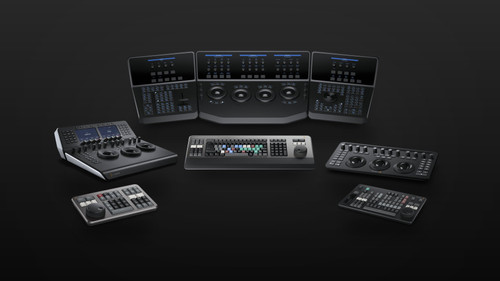
A panel puts the DaVinci Resolve controls you use most under your hands. This guide covers six: three for editing and three for grading. Which one suits you comes down to two things: whether you mostly edit or grade, and where you do it.
All six, and DaVinci Resolve Studio 21, are at Blackmagic's sale price at DVT until Friday 20 November. The panels' sale price ends sooner if Blackmagic's promotional stock runs out.
Why add a panel?
A mouse does one thing at a time. With a panel you use both hands at once: jog through a clip with one hand and mark it with the other, or move a trackball with each hand while you grade.
- By feel: you find each control without looking, so your eyes stay on the picture.
- Fewer clicks: the tools you use most each have their own key, knob or trackball, so you're not hunting through menus.
"Adding a DaVinci Resolve panel or keyboard gives customers hands on control so they can work even faster."
Grant Petty, Blackmagic Design CEO
For editing
The three edit panels are built around Resolve's Cut and Edit pages.
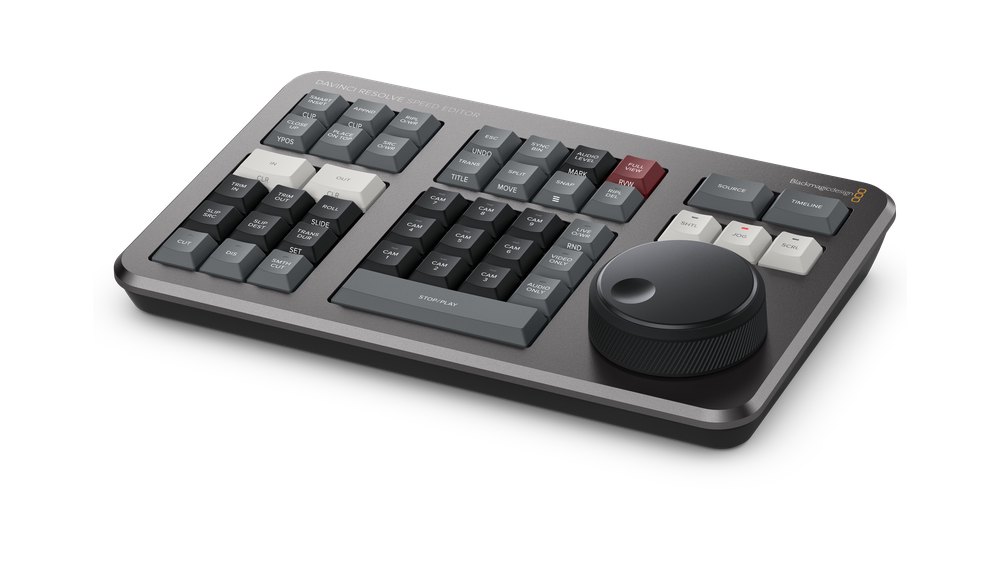
The DaVinci Resolve Speed Editor is the compact one: a large search dial and only the keys you need to edit. It's at its best on the Cut page; on the Edit page you'll still reach for the mouse. It runs on its own battery over Bluetooth, so it travels with a laptop.
Suits: editors on a laptop, and anyone new to a panel.
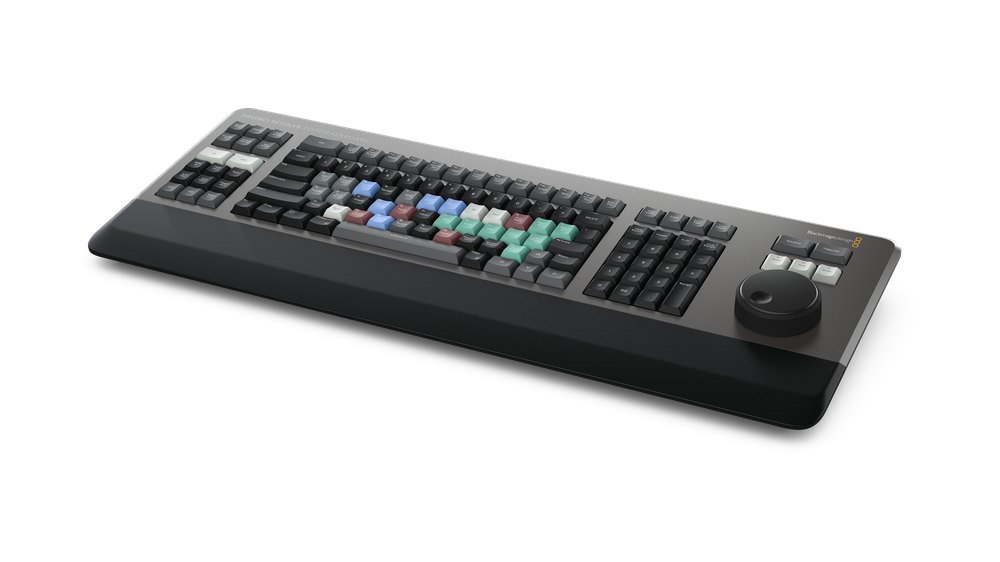
The DaVinci Resolve Editor Keyboard is a full-size keyboard in a metal case, with a search dial and clutch and extra edit, trim and timecode keys. It covers the Cut and Edit pages, and has two USB ports for a mouse and other devices.
Suits: full-time Resolve editors in a suite.
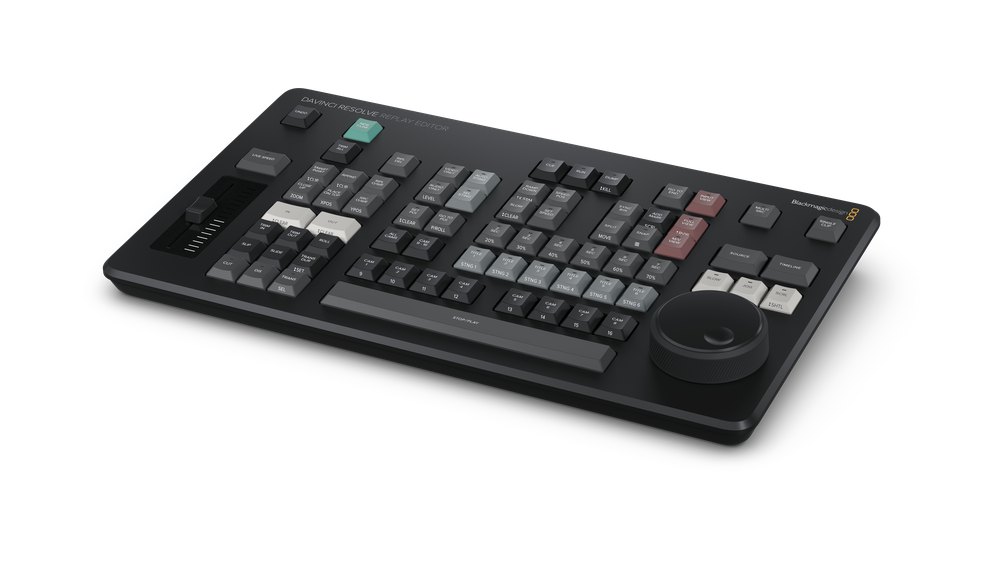
The DaVinci Resolve Replay Editor is built for multicam cutting on the Cut page and for live replay, with keys for each camera angle. Live replay needs more kit than the panel, such as an ATEM switcher and recorders, so tell us about your setup.
Suits: news and live sport.
For grading
The three colour panels share a similar layout, so moving up from one to the next later is easy.
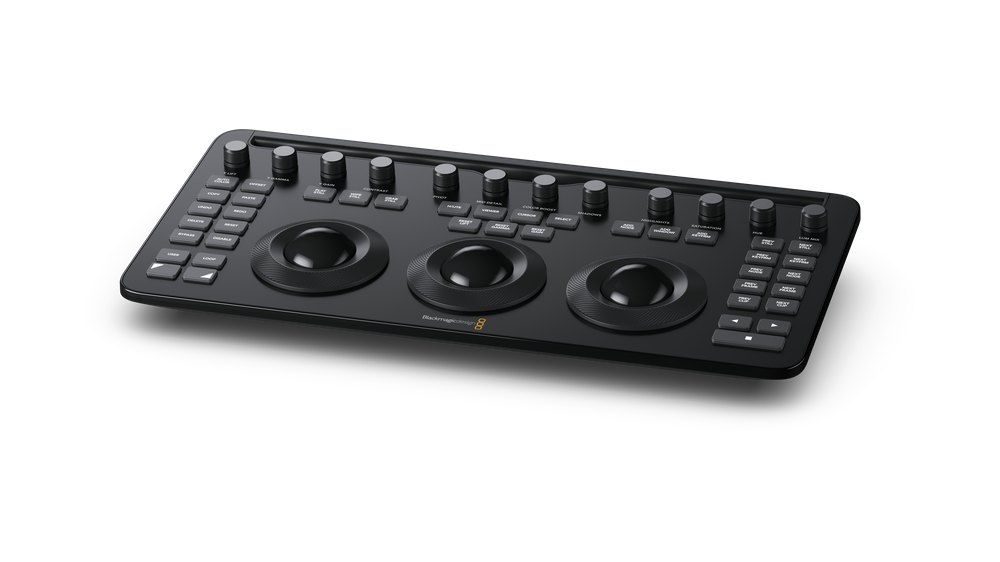
The DaVinci Resolve Micro Color Panel has three weighted trackballs and 12 knobs, and it's small enough to sit beside a keyboard, or a laptop on set. It runs on its own battery over Bluetooth and has a slot for an iPad running DaVinci Resolve.
Suits: grading on set, on a laptop or on an iPad.
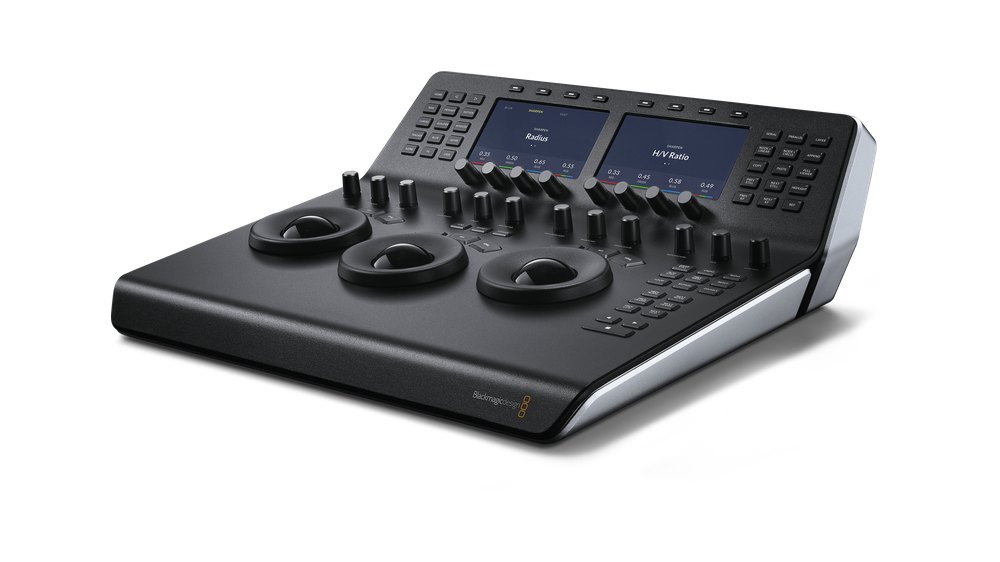
The DaVinci Resolve Mini Panel adds two 5-inch screens, with eight soft knobs and eight soft buttons whose jobs change with the tool you're using. It's still small enough to carry between jobs.
Suits: freelancers who grade for a living.
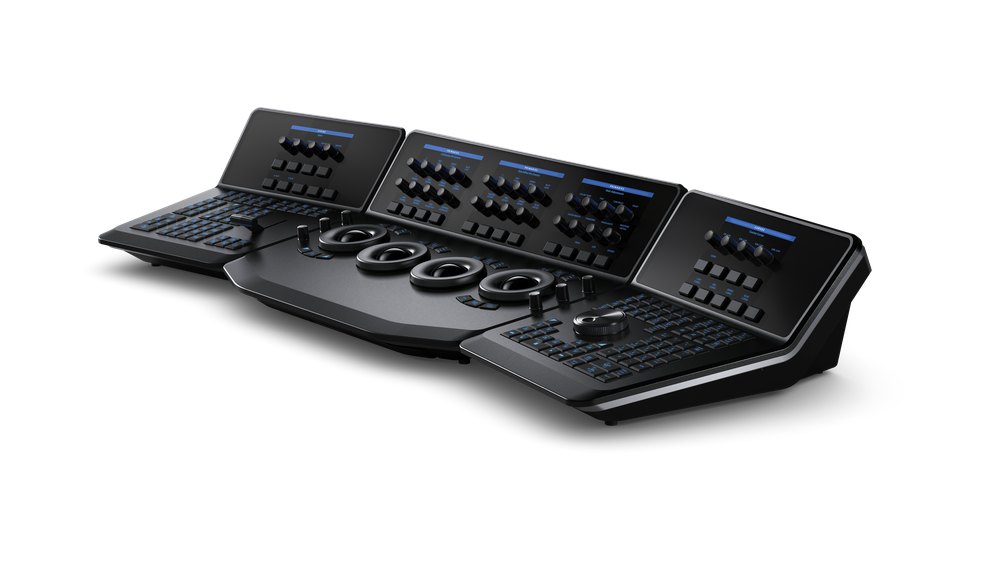
The DaVinci Resolve Advanced Panel is three panels built for colour suites working on film, television and commercials. It adds a fourth trackball, jog and shuttle, a T-bar, a slide-out keyboard and 30 soft knobs.
Suits: a full colour suite.
Side by side
| Panel | Made for | Connects by | Resolve Studio in the box |
|---|---|---|---|
| Speed Editor | Editing on the Cut page, on a laptop | Bluetooth with its own battery, or USB-C | Yes |
| Editor Keyboard | Full-time editing on the Cut and Edit pages | USB-C | Yes |
| Replay Editor | Multicam cutting, news and sports replay | Bluetooth with its own battery, or USB-C | No |
| Micro Color Panel | Grading on set, on a laptop or an iPad | Bluetooth with its own battery, or USB-C | No |
| Mini Panel | Freelance colourists | USB-C, or Ethernet with power over Ethernet | Yes |
| Advanced Panel | Colour suites | USB | Yes |
Before you buy
- They're built for DaVinci Resolve. If you also edit or grade in other software, talk to us before you buy.
- Check for Studio. Four of the six come with a DaVinci Resolve Studio activation key. If you're buying the Micro Color Panel or the Replay Editor and don't have Studio yet, add DaVinci Resolve Studio 21.
- Micro Color Panel: it needs DaVinci Resolve 19 or later, on macOS 14.3 Sonoma or later, Windows 11 or Rocky Linux 8.6. It pairs with an iPad over Bluetooth only; its USB-C port is for a computer and for charging.
- Calibrate first. A panel makes grading faster, not more accurate. If your monitor isn't calibrated, sort that out before you buy a colour panel.
- Give it time. You'll be slower for the first few sessions while your hands learn the layout.
DaVinci Resolve Studio 21
Studio is the paid version of DaVinci Resolve. Over the free version, it adds the DaVinci Neural Engine for AI region tracking, stereoscopic tools and advanced HDR grading, plus more Resolve FX filters and Fairlight FX audio plugins.
The range
Not sure which suits you? Call us on +64 9 525 0788 or email sales@dvt.co.nz, and tell us whether you mostly edit or grade, and on what.